

Meet intelligent eyewear with Gemini. Stylish glasses designed for all-day comfort and helpfulness.
Meet intelligent eyewear with Gemini. Stylish glasses designed for all-day comfort and helpfulness.
Features
Explore and understand your world
Seamlessly capture, navigate, and translate your physical surroundings in real time.
-
Look and Ask
Hey Gemini, add this to my shopping list
Look and AskJust look at something and ask Gemini for quick answers, helpful advice, and backstories.
Explore features.
Instant visual recognition
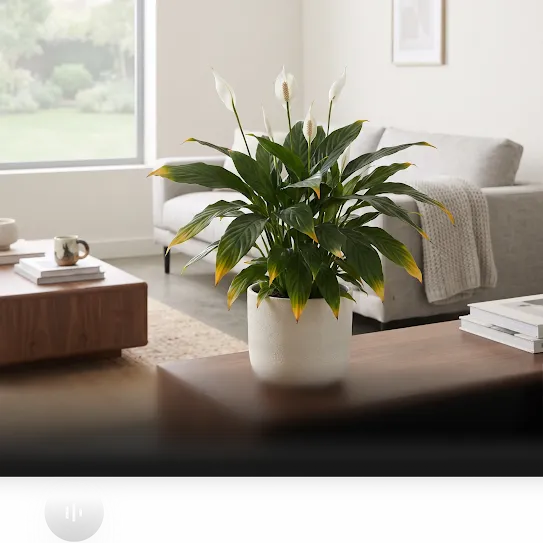
Spot something unfamiliar on a hike or around the house? Just look and ask to find out if those wild berries are safe for your dog, learn the specific watering schedule for a new houseplant, or ask how to fix an error code on your appliance.
Uncover the story
Discover more about the world around you. Ask about local businesses, architectural styles, public art, and historical landmarks to learn about history, details, hours of operation, and more.
Shop smarter in real time
Found an item you love in a store window or at a friend's place? Look at an item and ask to compare prices across retailers and track down similar styles before you buy.
Ideas to get you started.
Hey Gemini,
what other candy bar does this taste like?
Hey Gemini,
what architectural style is this?
Hey Gemini,
what kind of plant is this and why are its leaf tips turning yellow?
-
Capture the Moment
Hey Gemini, take a picture
Capture the MomentCapture spontaneous moments hands-free. Take photos and videos instantly with just your voice or a simple tap.
Explore features.
Stay in the moment while you capture it
Snap crisp photos and record smooth video. Capture playtime at the park, travel adventures, or candid moments around the dinner table right from your point of view - no reaching for a phone required.
Share your view in real time
Take friends, family, or followers along for the ride. Share your point of view live in a Google Meet video call†, whether you're troubleshooting a hands-on project or sharing a front-row experience.
Ideas to get you started.
Hey Gemini,
take a picture.
Hey Gemini,
record a video of this.
Hey Gemini,
take a picture of my dog.
-
Navigate your Neighborhood
Hey Gemini, find me a cafe with pup cups
Explore features.
Hands-free walking directions
Get crisp, turn-by-turn Google Maps audio directions† delivered straight to your ear so you can navigate busy streets, commute, or explore new cities without missing a step.
Instant insights on the move
Wander like a seasoned local. Ask what's good at the restaurant you just passed, check reviews & operating hours, or ask for the quickest route to a quiet café nearby.
Recommendations made for you
Skip the endless scrolling. Get curated suggestions based on your tastes, the time of day, and where you are - whether you need a quick bite, a top-rated cocktail bar, or a scenic park to recharge.
Ideas to get you started.
Hey Gemini,
do any of these bus lines go to Chelsea Market?
Hey Gemini,
navigate me to a local Italian place with cacio e pepe.
Hey Gemini,
where's the nearest gift shop?
-
Unlock New Languages
Hey Gemini, translate this for me
Unlock new languagesHear the world in your language with live translations spoken right into your ear.
Explore features.
Connect across 70+ languages
Bridge conversations wherever you go. Get real-time, accurate translations in over 70 languages like Spanish, Mandarin, Japanese, Farsi, Cantonese and dozens more.
Translate what you see
Navigate menus, street signs, and transit maps effortlessly. Simply ask to translate, your glasses can translate foreign text into your language.
Hear clearly, even in a crowd
Never miss a beat in busy spaces. Advanced audio intelligence isolates the speaker’s voice from background chatter and ambient noise so spoken translations stay sharp and accurate.
Ideas to get you started.
Hey Gemini,
start translating.†
Hey Gemini,
how do I say 'I'll take the vegetable soup' in Spanish?
Hey Gemini,
translate this sign.



























Stay connected and productive
Effortlessly manage communications, daily tasks, and entertainment on the go.
-
Stay in Touch
Hey Gemini, what are my new messages?
Explore features.
Stay connected without reaching for your phone
Hear incoming texts read aloud as they arrive. Reply instantly using just your voice while carrying groceries, biking, or running errands, so your conversations keep flowing.
Catch up in seconds
Cut through notification overload. Ask for quick audio summaries of long group chats or unread work emails to get the key takeaways without endless scrolling.
Share the moment instantly
Send what you see in the moment. Snap a quick photo and text it directly to friends or group chats - all with your voice.
Ideas to get you started.
Hey Gemini,
summarize my notifications.
Hey Gemini,
reply to Sarah: I’ll be there in about 10 minutes.
Hey Gemini,
catch me up on the group chat.
-
Connect Hands-Free
Hey Gemini, call Grace
Explore features.
Crystal-clear conversations
Advanced beamforming microphones and noise suppression filter out wind and background city commotion so you come through loud and clear.
One-tap controls
Take full control with a quick touch on the frame. Answer an incoming ring and hang up when you're done without ever reaching for your pocket.
Hands-free dialing on the go
Make and answer calls with just your voice - perfect for when your hands are full or you’re on the move.
-
Stay Organized
Hey Gemini, am I free to go to this concert?
Stay OrganizedSet reminders, manage your calendar, or get quick info when you need it. Everything you need is right where you are.
Explore features.
Capture tasks as you think of them
Add items to your grocery list, jot down project follow-ups, or set reminders using just your voice - no tapping or typing needed.
Stay on top of your schedule
Ask what’s on your agenda for the afternoon, reschedule a meeting on the fly, or quickly create a new invite without touching your phone.
Never miss an important moment
Receive timely nudges when it counts - from leaving on time for a flight to remembering the field trip permission slip.
Ideas to get you started.
Hey Gemini,
set a reminder to pick up the birthday cake Thursday at 4:30pm.
Hey Gemini,
what’s my next meeting?
Hey Gemini,
add this to my calendar.
-
Soundtrack Your Day
Hey Gemini, play a song off this album
Explore features.
Listen on the go
Play the perfect track without lifting a finger. Just ask Spotify or YouTube Music to start your favorite playlist, replay an old favorite, or soundtrack dinner prep with upbeat background beats.
Get lost in a great story
Turn chores into chapter time. Ask Audible to jump back into your current audiobook right where you left off and power through your reading list, hands-free.
Stay informed and entertained
Turn daily downtime into engaging listening. Catch the morning news, dive into true crime, or follow your favorite interview show seamlessly on your daily commute or neighborhood walk.
Ideas to get you started.
Hey Gemini,
play a lo-fi study vibe playlist.
Hey Gemini,
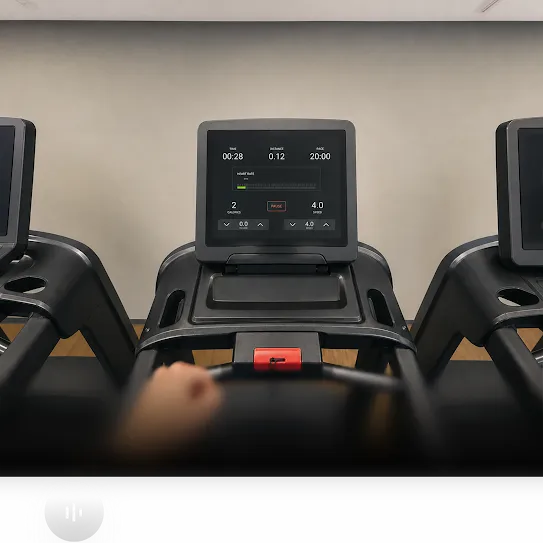
make a playlist for a 9 minute mile.
Hey Gemini,
play music to match the vibe.





























Specs
Built for everyday wear
-
Ultra-wide 12 MP camera
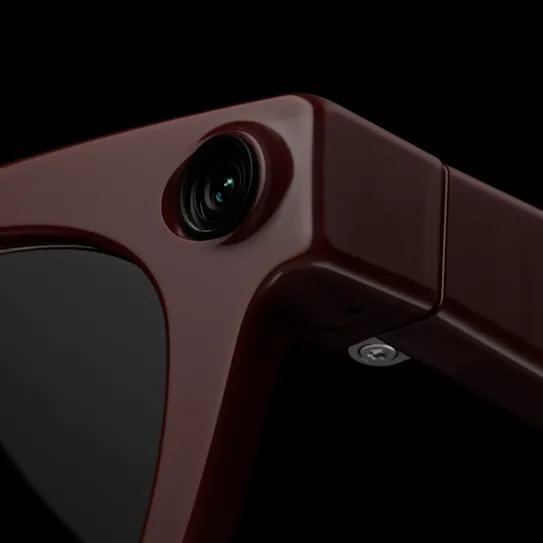
Capture your world in sharp detail with real-time HDR processing and an ultra-wide 12 MP sensor. Shoot up to 3K video with automatic stabilization and straightening, while built-in quality checks auto-tune color, and optimize sharpness.
-
Up to 9 hours of battery life
Power through your daily schedule with up to 9 hours† on a single charge - keeping your music, calls, and captures going strong from morning to evening.
-
Open-ear speakers
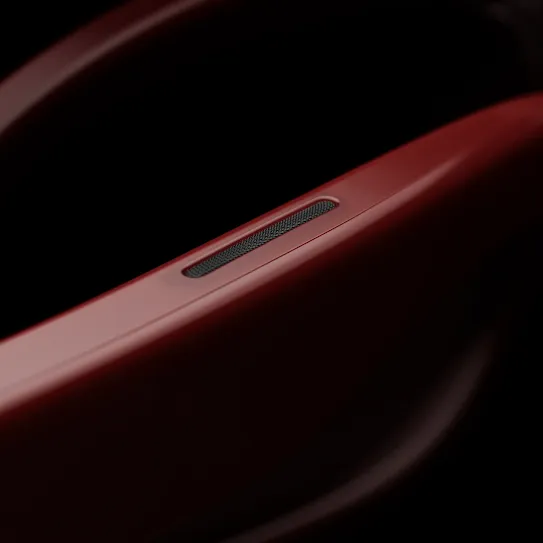
Enjoy rich, immersive sound without blocking your ears. Custom-tuned speakers deliver clear vocals and balanced audio for media, while keeping you aware of the world around you.
-
Voice and touch controls
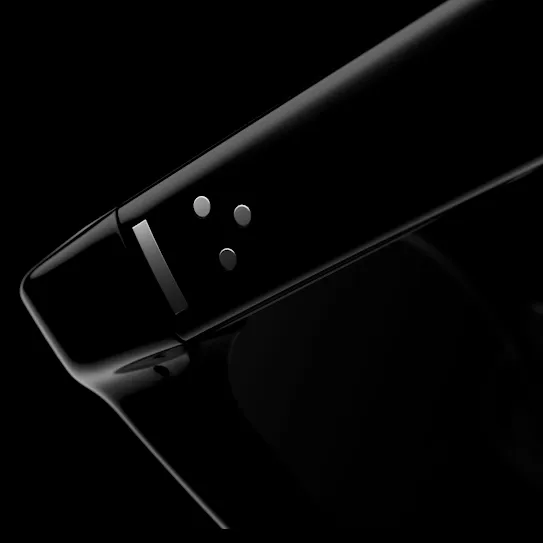
Control your experience your way. Switch tracks, answer calls, or access Gemini using discreet taps and swipes on the frame, or stay completely hands-free with simple voice commands.



-
Protects your visual data
Camera visuals from Gemini on glasses are not saved in your Gemini History, and aren’t used to train AI models or target ads. Data stored on glasses is encrypted, and if data leaves your glasses, it’s also encrypted in transit to keep it private and secure.
-
You choose what you share
You control which apps access your glasses’ camera and mic, and you can change these permissions whenever you like. You can also turn your glasses off at any point with a physical switch.
-
Privacy includes bystanders
Glasses have an indicator light designed to make it clear when you take photos or record videos for your gallery. Gemini is designed to protect the privacy of those around you too.


Accessibility
Guided Vision
Get hands-free, real-time audio descriptions of your surroundings with Guided Vision† on glasses. Gemini will read text aloud, locate items for you, or describe what’s in your view.
-
Read text, mail, and labels
Get printed text read aloud on demand. From reading nutrition labels and mail to exploring menus and signage, Gemini can read verbatim or summarize key details.
-
Identify and find everyday items
Locate misplaced items and get detailed visual guidance, hands-free. Ask Gemini to find your keys, distinguish between pantry cans, or verify clothing colors and patterns.
-
Explore your surroundings
Take in unfamiliar spaces with scene narration. Gemini describes the layout of a room - helping you spot empty seats, doorways, and points of interest.
-
Operate appliances and screens
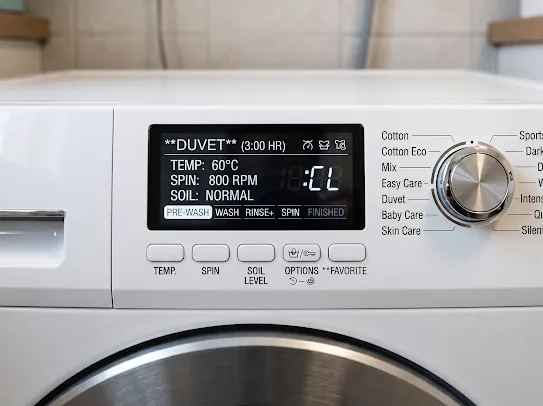
Interpret visual interfaces and controls with ease. Gemini helps you read appliance display settings or understand error codes on screens.



Be the first to get updates and offers from Android XR.

Subscription confirmed
Thank you for subscribing! Stay tuned for the latest news and announcements.

Something went wrong
We could not process your submission. Please return to the form and try submitting again.
Frequently asked questions.
The battery lasts up to 9 hours on a single charge. This will vary by use, configuration, settings and other factors†.
Charge the glasses by placing it in its case. If the case battery is low, connect a charger to the case.
When you charge your device for the first time, remove the black paper from inside the case first.
You can charge your glasses to 60% in about 30 minutes.†
You can add prescription lenses directly on your intelligent eyewear manufacturer product page. Enter your prescription details to see which lens options are available. Please visit Warby Parker or Gentle Monster for more details.
Your glasses require a Bluetooth connection to your phone to enable functions like asking Gemini about your surroundings or streaming media, while some device functions like volume control, checking battery life, or taking a photo don't require a Bluetooth connection.
Our glasses are compatible with Google Pixel 7 series and later running Android 17 September 2026 or later, iPhone 13 and later (min 6GB RAM) running iOS 26.6 or later, and Samsung Galaxy S or Z series with UI 9.0 or above.
Intelligent Eyewear is designed for daily life and outdoor use. The glasses support IPX4 water resistance, helping protect against splashes, light rain and sweat encountered during daily activities. While Intelligent Eyewear is not intended for extreme environments or high-impact sports, its design and durability are optimized for regular, on-the-go use as part of everyday life.
When taking a photo, the inner and outer indicator lights flash, accompanied by a photo capture sound.
When recording a video, the inner and outer indicator lights pulse continuously, and a video recording tone plays when recording starts and stops.
Ask for permission before filming people.
Glasses are designed to automatically stop recording or taking a picture if the outer indicator light is covered or blocked, or if the internal components are compromised.
Glasses’ open-ear speakers are made to focus sound into your ears. The audio is designed to be private to you outdoors and in busy areas, but you should pay attention to your media volume in quieter settings.
No. Gemini on glasses is designed to wait in standby mode until it detects an activation, like when it hears “Hey Gemini.” When in standby mode, Gemini won’t send what you are saying to Google or anyone else.
Once Gemini detects an activation, it exits standby mode and sends your request to Google servers. This can also happen if there is a noise that sounds like “Hey Gemini”.
You can review, manage, and delete your Gemini history in settings at any time. Learn more.
Yes, you can slide the toggle to completely turn off the camera, microphones, and Gemini.
When the device is on, you still control which apps have access to the camera or microphone.